The 9 best Clueso alternatives in 2026
Written by Omprakash Sah Kanu · June 27, 2026 · Updated August 9, 2026 · 15 min read

The best Clueso alternative depends on the output you need. Choose ScreenDub when you want a narrated video and written guide from a recording, uploaded video, or slide deck. Choose Guidde or WowTo when documentation and a knowledge base are central. Choose Trainn when you need a broader customer-education platform. Choose Synthesia when the main subject should be an AI presenter rather than a real screen workflow.
Clueso alternatives at a glance
| Tool | Best fit | Main output | Pricing model checked |
|---|---|---|---|
| ScreenDub | Narrated demos, tutorials, decks, and guides from one source | Narrated MP4 plus written PDF guide | Free; paid plans from $14.99/month, usage-based minutes |
| VideoMule | Silent screen recordings turned into tutorials | Narrated and captioned videos with guides | Trial and usage-based monthly plans; official page checked |
| Guidde | Fast web-app documentation and how-to guides | Video guides, exports, and workspace sharing | Per-creator plans; free, Pro, Business, and Enterprise |
| Trainn | Customer education, onboarding, and training at scale | Videos, guides, knowledge hubs, LMS, and in-app training | Annual platform plans plus a $19/month Creator plan |
| Trupeer | Polished product videos, guides, avatars, and branded pages | AI videos, guides, translations, and share pages | Free trial; Pro and Scale usage plans |
| Visla | Broad recording, editing, and AI video creation | Edited videos with voiceovers, avatars, and collaboration | Free, Pro, Business, and Enterprise plans |
| Tutorial AI | Product tutorials with polish, zoom, and localization | Tutorial videos, captions, and written documentation | Plans measured by generated video minutes |
| WowTo | Video help centers and contextual support content | How-to videos, knowledge bases, and widgets | Free, Plus, and Business plans |
| Synthesia | Presenter-led training and business videos | AI avatar videos, dubbing, and multilingual delivery | Free, Starter, Creator, and Enterprise plans |
What is Clueso?
Clueso turns screen recordings and slide decks into product videos and documentation. Its public product and pricing pages describe AI-generated scripts, voiceover, visual enhancement, documentation exports, translation, and workspace plans. The important distinction is that Clueso is designed for teams that want a polished content workflow with team and export capacity, not only a quick one-off screen recording.
Clueso’s official pricing page currently lists a seven-day free trial, a Starter plan at $120/month billed yearly, a Growth plan at $200/month billed yearly, and custom Enterprise pricing. It also lists video and article export allowances for the paid plans. See theofficial Clueso pricing page for the current billing view.
Why teams look for a Clueso alternative
- The team needs usage-based pricing instead of a workspace commitment.
- The workflow starts from a video file, YouTube link, or deck rather than only a recording.
- The team wants a lighter tool for a small number of demos or guides.
- The main requirement is a learning platform, knowledge base, or in-app delivery layer.
- The team needs avatar-led video rather than a real product walkthrough.
These are fit questions, not proof that Clueso is a poor product. The right alternative is the one that removes the specific limitation your workflow has reached.
How we compared these tools
We compared the public product and pricing pages using six criteria: input types, output types, narration workflow, documentation capability, localization, and pricing structure. We did not score voice naturalness or editing quality without a reproducible hands-on test; those depend on the source recording, language, plan, and generation settings.
- What can the user start from: screen capture, existing video, deck, PDF, or text?
- Does the product create a video, written guide, interactive demo, or learning platform?
- Can the script be reviewed and corrected before the final render?
- Are translation, captions, and language review supported?
- Is pricing based on seats, minutes, projects, credits, or platform scope?
- What is the product’s main trade-off?
1. ScreenDub
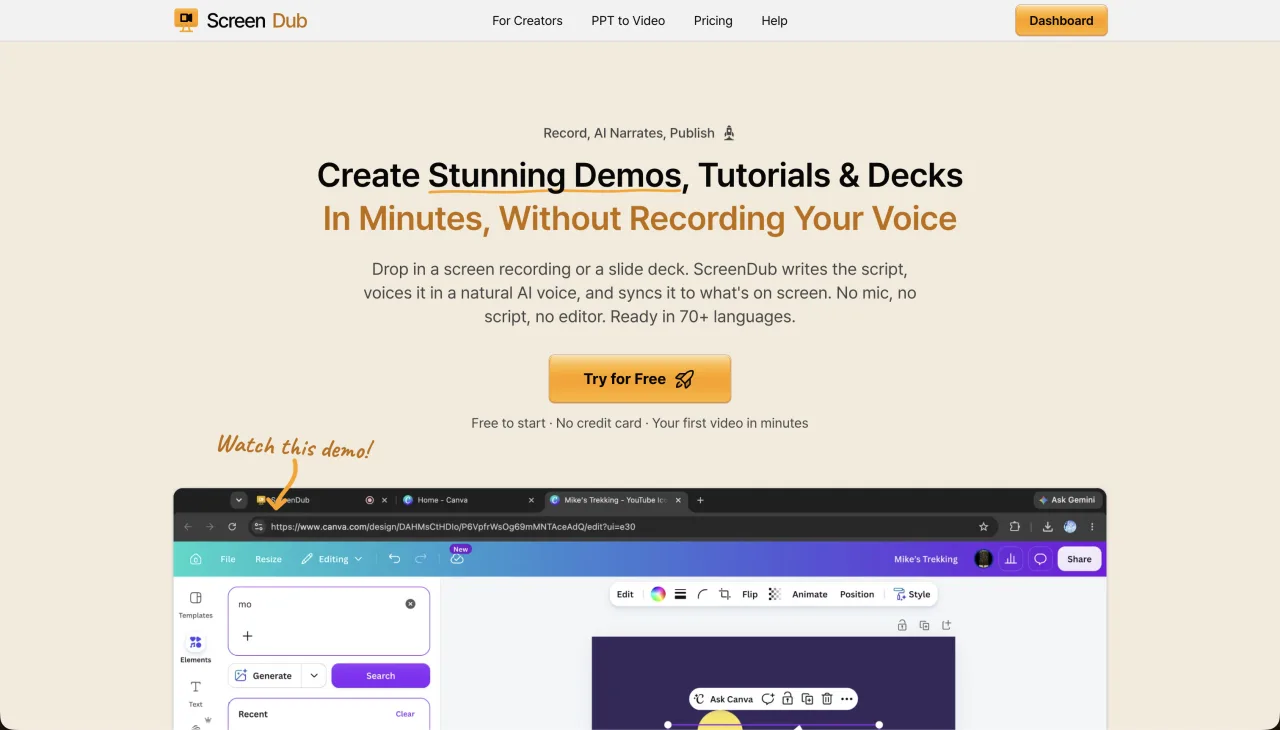
ScreenDub is the closest fit when the goal is a finished narrated video and a written guide from the same source. You can record a tab, window, or full screen in the browser, upload an MP4, WebM, or MOV, or upload a PDF, PPT, or PPTX deck. The product analyzes the source, drafts editable narration, lets you choose a voice and script style, and exports an MP4 plus a written guide. Translation is available in 80+ languages.
- Best for
- Creators and teams that want narrated videos and written guides from one source.
- Pricing
- Free at $0; Creator $14.99, Pro $29.99, and Teams $59.99 per month. Plans are based on monthly narration minutes, not seats.
- Strength
- Accepts recordings, existing videos, and slide decks, then produces video, documentation, captions, and translations.
- Trade-off
- Focused on narrated walkthroughs and guides, not a full LMS or avatar-first video studio.
2. VideoMule
VideoMule focuses on turning screen recordings into narrated tutorial videos. Its public product page lists browser recording, uploads, AI voiceover, captions, zoom and focus effects, callouts, avatars, translations, and a Chrome extension. It is a good candidate when the source is primarily a screen recording and the team wants more automatic visual polish.
- Best for
- Silent screen recordings that need narration, captions, and visual emphasis.
- Pricing
- The official pricing page currently lists a $0.99 trial and a Plus launch price of $19/month, with higher tiers available.
- Strength
- Automatic narration, captions, zoom effects, callouts, and optional avatar presentation.
- Trade-off
- Its positioning is centered on screen-recording workflows rather than a broad deck-to-video and documentation system.
Check the official VideoMule pricing page before relying on the launch price.
3. Guidde
Guidde is a strong fit for web-app documentation and step-by-step guides. Its official pricing page lists web capture, video guides, sharing, exports, brand kits, blur controls, PDF/PPT conversion on higher plans, AI voices, analytics, and enterprise controls. Viewers can be added without an additional paid seat, while creator and workspace capabilities are plan-dependent.
- Best for
- Teams producing many web-app how-to guides and documentation assets.
- Pricing
- Free; Pro listed at $29 monthly or $19 annually per creator; Business at $59 monthly or $39 annually per creator on the official page.
- Strength
- Documentation workflow, workspace sharing, branding, redaction, and integrations.
- Trade-off
- The most advanced voice, desktop, analytics, and translation capabilities are separated by plan.
See Guidde’s official pricing and feature comparison for plan-specific limits.
4. Trainn
Trainn is broader than a video maker. It combines AI video and guide creation with shareable collections, knowledge hubs, LMS capabilities, in-app tutorials, analytics, and customer education workflows. It is the better fit when the content must be delivered, organized, and measured after creation.
- Best for
- SaaS teams building customer onboarding, training, and self-serve education.
- Pricing
- The official page lists Creator at $19/month, Launch at $2,400/year, Scale at $10,000/year, and Enterprise at $39,900/year.
- Strength
- Learning platform, knowledge hub, in-app tutorials, customer groups, and analytics.
- Trade-off
- More platform than needed if the only requirement is to make a few narrated videos.
See Trainn’s official plans for user, content, and LMS limits.
5. Trupeer
Trupeer combines AI video and guide generation with captions, avatars, translations, screenshot editing, branded share pages, and a knowledge-base add-on. Its pricing page currently lists a 10-day free plan, Pro at $49/month monthly or $40 on annual billing, and Scale at $249/month monthly or $199 on annual billing.
- Best for
- Product and customer-success teams that want polished videos, guides, and optional avatars.
- Pricing
- Usage is measured in AI video minutes; paid plans include guide creation and video exports.
- Strength
- Avatars, branded pages, screenshot editing, guide generation, and team features.
- Trade-off
- The higher tiers are substantially more expensive than lightweight usage-based tools.
Confirm the current plan details on Trupeer’s official pricing page.
6. Visla
Visla is an all-purpose recording, editing, and AI video platform. It covers screen and meeting capture, editing, voiceovers, avatars, collaboration, and text-to-video workflows. It is a reasonable alternative when the team wants one broader video workspace rather than a specialized screen-to-documentation flow.
- Best for
- Teams making several types of business video, not only tutorials.
- Pricing
- Visla’s official help page lists Pro at $18/month and Business at $59/month on monthly billing, with Enterprise custom pricing.
- Strength
- Broad recording, editing, collaboration, and AI creation toolkit.
- Trade-off
- The wider feature set can add complexity when the job is one focused walkthrough.
See Visla’s plan documentation for current billing and feature details.
7. Tutorial AI
Tutorial AI is purpose-built for product tutorials. Its public product page lists screen recording and uploads, AI script generation, voiceover, captions, zoom effects, cursor smoothing, blur, written documentation, and translation into 74 languages. Its pricing page describes plans by generated video minutes, with monthly pools of 10, 30, and 60 minutes on the self-serve tiers.
- Best for
- Product tutorials where cursor guidance, zoom, captions, and localization matter.
- Pricing
- The public pricing page measures plans by generated video minutes; verify the current dollar price at checkout.
- Strength
- Tutorial-specific polish, multilingual captions and voiceover, and written guides.
- Trade-off
- It is centered on product tutorials rather than a complete customer education platform.
8. WowTo
WowTo focuses on support videos, video knowledge bases, and contextual help widgets. Its official pricing page lists PPT/PDF import, subtitles, text-to- speech, knowledge bases, and integrations. The free plan is limited to three projects with a two-minute maximum per video; Plus and Business increase project, duration, language, and collaboration limits.
- Best for
- SaaS teams building a video-first help center or in-app support layer.
- Pricing
- Free; Plus $25/month; Business $45/month on the official pricing page.
- Strength
- Knowledge-base hosting, widgets, support workflows, and video projects.
- Trade-off
- Less suited to a single polished sales demo or a broad general-purpose editor.
See WowTo’s official pricing page for current project and language limits.
9. Synthesia
Synthesia is an avatar-first business video platform. Its official pricing page lists AI avatars, 160+ languages and voices, PowerPoint-to-video, dubbing, custom avatars, video editing, and enterprise capabilities. It is the better fit when a presenter or digital avatar should carry the lesson. It is less direct when the proof must be a real product interface being operated on screen.
- Best for
- Presenter-led training, enablement, onboarding, and business explainers.
- Pricing
- Basic is free; the official page lists Starter at $29/month, Creator at $89/month, and Enterprise custom pricing.
- Strength
- Avatar library, multilingual delivery, PowerPoint support, dubbing, and enterprise controls.
- Trade-off
- An avatar-led workflow is not the same as a real screen walkthrough with product evidence.
Which Clueso alternative should you choose?
- Choose ScreenDub for recordings, existing videos, or decks that should become narrated videos and written guides with usage-based pricing.
- Choose VideoMule for a screen-recording-first workflow with automatic voice, captions, and visual emphasis.
- Choose Guidde for high-volume web-app documentation and workspace sharing.
- Choose Trainn when delivery, learning paths, knowledge hubs, and LMS features are part of the requirement.
- Choose Trupeer when branded pages, avatars, and polished guides are worth the higher usage plans.
- Choose Visla when the team needs a broad video creation and collaboration suite.
- Choose Tutorial AI when product-tutorial polish and localization are the core job.
- Choose WowTo when the destination is a video help center or contextual widget.
- Choose Synthesia when the video should be led by an AI presenter or avatar.
Frequently asked questions
What is the best free Clueso alternative?
There is no single best free option. ScreenDub has a Free plan with one 8-minute narration allowance; Guidde has a Free plan with up to 25 how-to videos; WowTo has a Free plan with three projects and a two-minute maximum per video; and several other tools offer time-limited trials. Compare the output and limits, not only the headline price.
Which Clueso alternative makes both video and documentation?
ScreenDub, VideoMule, Guidde, Trainn, Trupeer, Tutorial AI, and WowTo all describe video and documentation capabilities on their public product pages. The exact format, export, and plan availability differ, so check the feature matrix for the workflow you need.
Is Clueso expensive compared with alternatives?
Clueso’s public pricing starts with a seven-day trial and paid plans displayed from $120 per month billed yearly. That may be reasonable for a team that needs its workspace and export model, but a usage-based plan can be a better fit for a smaller or less frequent publishing workflow.
Can I turn a slide deck into a narrated video without Clueso?
Yes. ScreenDub accepts PPT, PPTX, and PDF files, and other tools in this comparison also advertise slide or presentation workflows. Confirm whether the plan includes the file type, narration, and export format you need.
What should I compare before switching?
Compare the source formats, video and guide outputs, script editing, captions, languages, privacy controls, plan limits, export rights, and the destination where viewers will consume the content. The cheapest plan is not always the lowest total cost if it forces a second tool for documentation or hosting.
If your main requirement is a narrated product walkthrough plus a written guide, try ScreenDub for free. If you need a broader learning platform, compare the delivery and analytics features before choosing a creator tool.