PowerPoint to Video with AI VoiceoverNarrated in 80+ Languages
ScreenDub turns a PowerPoint or PDF deck into a studio-grade narrated video in 80+ languages. It reads every slide, writes the script, and voices it. No presenter, no studio, no re-recording.
Free to start, no credit card | Recording a screen instead? Start here
The same deck, narrated into English by ScreenDub. Same slides, a natural new voice.
Built for every deck you present
Why ScreenDub
Stop presenting the same deck on repeat.
A deck only works when you are in the room to talk over it, and re-recording it in another language means starting over. ScreenDub turns any deck into a narrated video your whole team can produce on demand.
The old way
- Rehearse the talk track until every slide lands
- Record the voiceover slide by slide, take after take
- Re-record the whole deck whenever a slide changes
- Hire a narrator and a studio for anything polished
- Repeat the entire process from scratch for each language
- Hours of work for a deck that ships in one language
With ScreenDub
- Upload your PPT, PPTX, or PDF, nothing to rebuild
- Every slide read and understood, content and context
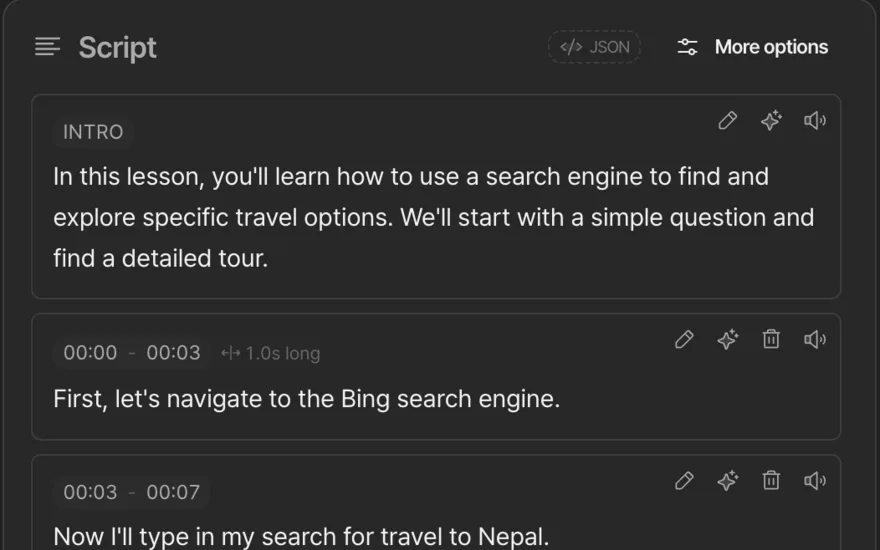
- A narration script written for each slide automatically
- Studio-grade voices, on brand, with no booth or talent
- One click ships the deck in 80+ languages, no re-recording
- A narrated video and a written guide in minutes
Features
One deck, everything you need to publish a narrated presentation.
From the moment you upload the file, the work is done. Slide analysis, scripting, narration, and export run automatically, so a polished video is the default, not a project.
PPT, PPTX, or PDF upload
Slide-aware analysis
Studio-grade voices
80+ languages, zero re-recording
Share-ready MP4
Narrated handout
Then make it look like your brand.
The narration is done. The rest is presentation: what sits behind the slides, how one becomes the next, the music under it, and your logo on the opening card. Change any of it and the preview updates while you watch.
Backgrounds
44 of them, or bring your own solid color and gradient. Add grain, round the corners, set the shadow, and give the frame room to breathe.









Slide transitions
Ten ways for one slide to become the next, or a hard cut when the deck moves quickly. It previews live and bakes into the export.
Word-accurate captions
Timed to the audio word by word, with the spoken word highlighted as it plays. Five styles, your size and color, burned in or as a subtitle file.
ClickShare,theninviteyourwholeteam
Titles and chapters
Nine card designs, from a full-page opener to a typing terminal. Move them where you want, or switch chapter titles off.
Background music
23 licensed tracks, auditioned right in the panel, ducking under the narration by themselves. Your recording’s own sound can play underneath too.
Your branding
A color, a logo, and your name, saved once as a kit. Your brand color carries through every accent: title cards, chapter titles, click highlights.

Introduction
Getting started
ScreenDub
Process
How it works
Four steps, and you only do the first. You upload the deck; ScreenDub handles the analysis, narration, and export, so anyone can publish a presentation in 80+ languages.
- 1You
Upload your deck
Drop in a PPT, PPTX, or PDF. Up to 100 slides, any layout, no rebuilding required.
~30 sec - 2Automatic
Analyze
Each slide is read and turned into an accurate, editable script that captures its real content.
~45 sec - 3Automatic
Narrate
A script is written and voiced in 80+ languages, with each slide held for the full narration.
~2 min - 4Automatic
Export
Get a polished MP4 of the narrated deck, plus a written handout, ready to share.
~1 min
One deck, every format
Narrated videos, lectures, and handouts.
Upload once and ScreenDub produces a narrated video and a written handout, ready in minutes and in any language. One source deck, every format, no duplicated work.
Narrated presentations
Turn a slide deck into a video that presents itself. Every slide voiced and timed, so viewers get the full talk without you in the room.
Course lectures
Voice an entire lecture deck once and publish it in every language your students speak. Same slides, native-language narration, ready to enroll.
Narrated handouts
Export the deck as a written guide with each slide and its script. Hand it out, translate it, and publish a clean PDF alongside the video.
Localization
Present to your audience in their language.
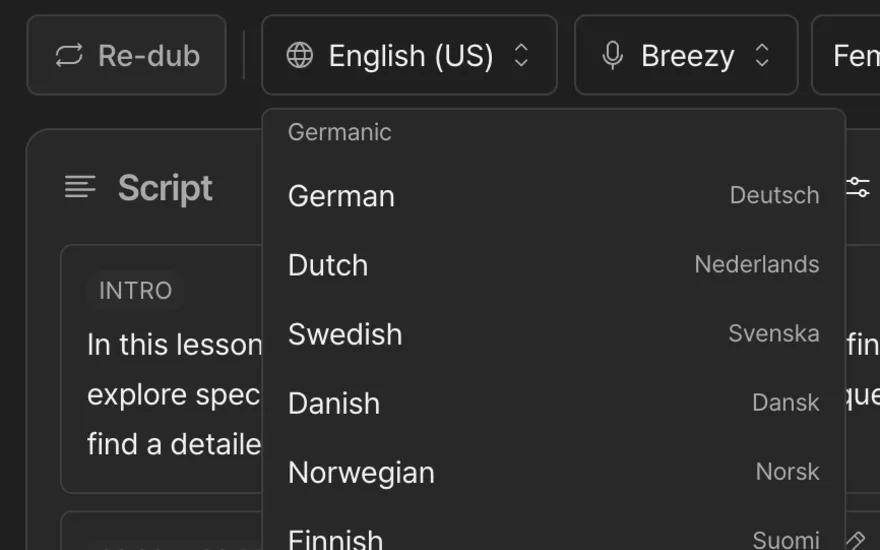
One deck, 80+ narrations. Every presentation in your audience's language, without re-recording a slide. Reach new markets ready on day one.
- EnglishEnglish (US)
- हिन्दीHindi
- EspañolSpanish
- FrançaisFrench
- PortuguêsPortuguese (Brazil)
- ItalianoItalian
- DeutschGerman
- العربيةArabic
Use cases
Built for every deck you present more than once.
If you present the same slides again and again, narrate them once. These are the people turning a single deck into a video that does the presenting for them.
Educators and trainers
You present the same deck live, over and over.
Turn a lecture deck into training videos and e-learning content that teach on their own, at every student's pace and in their language. Reuse it across cohorts, free up class time, and keep the explanation consistent for everyone.
Sales and marketing
Your pitch deck only works when you are in the room.
Send a narrated version of the deck the moment a prospect asks, day or night. Buyers hear the full story in their own language, so reps spend their time on the deals that are ready, not on repeating the same walkthrough.
Founders and investor updates
You re-record the pitch for every investor and demo day.
Turn the pitch deck into a narrated video you can share with one link. Tell the story once, ship it in every investor's language, and update a slide without re-recording the whole thing.
Webinars and launches
The webinar is over the moment it ends live.
Voice the slides once and the session keeps working as on-demand content. Publish it in every market on day one, so the deck you presented once reaches audiences who were never in the room.
Internal training
Onboarding means walking every new hire through the same slides.
Turn the training deck into onboarding and training videos new hires learn from directly, on their schedule. Ramp time shrinks, the message stays consistent, and the knowledge stays even after the person who presented it moves on.
Global teams
One deck, one language, half the company left out.
Localize a single deck into every language your teams and customers speak. Same slides, native-language narration, no agency invoice and no re-recording per market.
Also for video
Already have the video?
Upload a video file and the same voices re-narrate it in 80+ languages, subtitles and transcript included. Nothing to re-record, nothing to re-edit.
See video dubbingPricing
Simple pricing, no surprises.
Billed by minutes used per month, so you pay for output, not seats. Choose monthly billing or save with an annual plan.
Free
Try ScreenDub at no cost
8 mins included once
of AI generation
- No shared workspace
- Recording up to 6 minutes
- 3 exports per video
- 5 guides / month
- Watermark on exports
- No custom branding
- All 25 script styles
- All voices and accents
- Translate to 80+ languages
Creator
Branded videos for creators
month
50 mins / month
of AI generation
- Workspace up to 3 team members
- Recording up to 10 minutes
- Unlimited exports
- Unlimited guides
- No watermark
- Custom branding
- All 25 script styles
- All voices and accents
- Translate to 80+ languages
Pro
Best value · 2.4× minutesEnough for regular video creation
month
120 mins / month
of AI generation
- Workspace up to 6 team members
- Recording up to 12 minutes
- Unlimited exports
- Unlimited guides
- No watermark
- Custom branding
- All 25 script styles
- All voices and accents
- Translate to 80+ languages
Teams
More minutes for growing teams
month
250 mins / month
of AI generation
- Workspace up to 10 team members
- Recording up to 15 minutes
- Unlimited exports
- Unlimited guides
- No watermark
- Custom branding
- All 25 script styles
- All voices and accents
- Translate to 80+ languages
Need more minutes? Move up a tier anytime. No credit card required to start.
FAQ
Questions, answered.
Everything you need to know before narrating your first deck: the practical answers on quality, control, languages, and what you get back.
How do I turn a PowerPoint into a video with narration?
Upload a PPT, PPTX, or PDF to ScreenDub, exactly as it is, whether it came from PowerPoint, a Keynote or Google Slides export, or a PDF of your slides. It reads each slide, writes a narration script from its real content, voices it in a natural AI voice, and renders a video that holds every slide on screen for the full narration. You get back a polished MP4 plus a written handout that pairs each slide with its script, each available in 80+ languages.
Does it actually read what is on each slide?
Yes. ScreenDub analyzes the deck slide by slide, taking in the headline, the bullets, and the figures, and writes a script from the real content of each slide rather than a single thin sentence. The result is a narration that explains the slide the way a presenter would, not a caption read aloud.
Do the narrated voices sound natural?
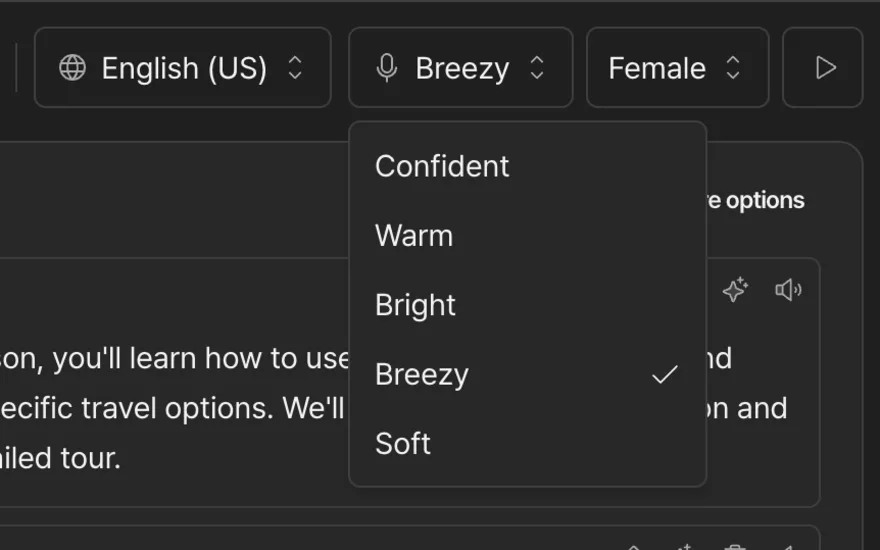
Yes. The voices are studio-grade, with a range of accents, genders, and tones to match how you would present. You can preview any voice before committing and switch voices at any time without re-recording, and each slide is held on screen for the full narration so the pacing matches the talk, not a fixed timer.
How much control do I have over the script?
Full control. Every slide is turned into an editable script, and you can rewrite any line to keep your phrasing, terminology, or emphasis before it is voiced. Adjust the wording, regenerate the audio in seconds, and nothing publishes until the narration reads exactly the way you want it on every slide.
Can I present the same deck in other languages?
Yes. From a single deck you can narrate into 80+ languages with one click, with no re-recording and no narrator to hire per market. Each language keeps your original slides and timing, so a deck you build once in English ships to every region your students, customers, or teams are in, on the same day.
Can I try it before paying?
Yes. The Free plan includes 8 free narration minutes with no credit card, which is enough to narrate a real deck and hear how the voices sound on your own slides. A deck can have up to 100 slides and 650 MB, rendered at up to 2K so slide text stays crisp. Free exports carry a small watermark; every paid plan removes it.

Turn your next deck into a video today!
No presenter. No studio. No re-recording for every language. Narrate your slides into 80+ languages and let the deck present itself.
Free to start, no credit card. Bring any PPT, PPTX, or PDF.