Skip to content

Internal documentation

Create video SOPs and process documentation.

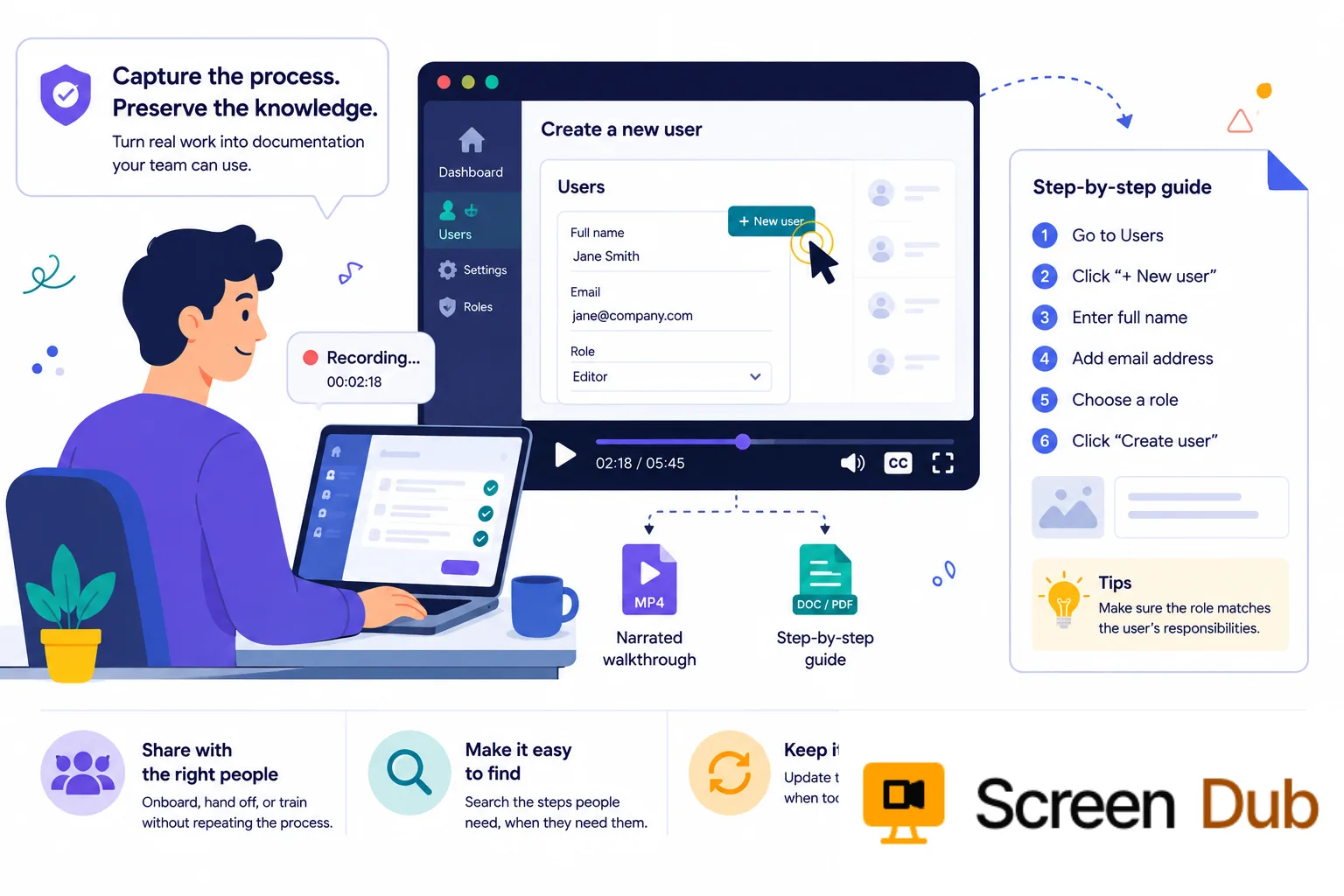
Record a real workflow and turn it into a narrated video SOP, process documentation, and step-by-step guide. The next owner can follow the work with confidence instead of waiting for the expert.

Internal documentation workflow turning a recorded process into a visual SOP

Operational risk often hides in routine work that only one person can explain: a monthly close, a provisioning sequence, or the checks before an escalation. The process exists, but it is not yet a dependable asset the business can hand over.

A checklist can omit the exact screens, decision points, and proof that a task is done. A raw recording has the opposite problem: it shows the work but not the context. Teams need both a visual demonstration and instructions people can scan during execution.

A useful SOP shows the work, preserves context, and makes ownership easier to transfer.

ScreenDub gives teams a faster starting point. Record the real process, edit the generated explanation, and export a narrated walkthrough without recording your voice. The written guide gives the team a compact reference, while the video keeps the visual context that a checklist cannot carry.

The moments that matter

Capture the process before the handoff becomes urgent.

Documentation pays off when the person who knows the work is busy, absent, or no longer the owner.

01

An expert owns the process

Capture the steps while the person who knows them is already doing the work, before the procedure becomes a hidden dependency.

02

A handoff is coming

Give the next owner a walkthrough of the real system instead of sending a checklist that leaves the important clicks unexplained.

03

A tool or policy changes

Update the current workflow and its explanation together so internal documentation does not quietly drift away from reality.

04

A busy team needs autonomy

Let teammates answer common process questions themselves with a guide that shows the path and explains the expected result.

The workflow

Turn tribal knowledge into a document someone can use.

01

Record the process, not a performance

Walk through the tool or procedure as you normally would. Focus on the sequence, inputs, checks, and result; there is no need to narrate while you record.

02

Add the context people usually miss

ScreenDub turns the on-screen actions into a timed script. Edit it to explain decisions, warnings, ownership, and the small details that make the SOP safe to follow.

03

Export the visual and written version

Create a narrated video for handoffs and a step-by-step guide for searching or printing. The two formats come from the same approved walkthrough.

04

Give the document an owner

Publish the result where the team already works, link to the source recording, and assign someone to refresh it when the system or process changes.

What the team gets

A handoff people can see, read, and maintain.

A visual SOP

Show the procedure in the real system so a teammate can see the starting point, decisions, and final state.

A searchable reference

Give the team written steps and screenshots they can scan when they only need one part of the workflow.

A handoff package

Make knowledge easier to transfer between shifts, offices, contractors, or teams working across regions.

A change-ready source

Keep the original recording close to the document so the next update begins with a real workflow, not a blank page.

A practical boundary

Make the process visible, then apply your team's controls.

ScreenDub is strongest for repeatable software procedures and operational walkthroughs. It gives documentation a useful first draft, but the process owner still needs to verify permissions, exceptions, approvals, and the correct source of truth.

Record with safe data, remove secrets and personal information, and publish the final version where the right team can find it. The tool makes documentation faster; ownership keeps it trustworthy.

FAQ

Questions, answered.

What internal documentation can ScreenDub create?

ScreenDub is suited to standard operating procedures, tool walkthroughs, IT procedures, process handoffs, internal how-to articles, and visual guides for repeatable work.

Can we document a process without recording narration?

Yes. Record the screen silently, review the generated script, and choose an AI voice after the wording is correct. You can also export the written guide from the same source.

Is the output a video or a document?

Both are possible from the same walkthrough: a narrated MP4 for demonstration and a written step-by-step guide for reference.

How should we handle confidential information in an SOP?

Use a safe account or sanitized data before recording. Your team should review the final video and document for secrets, personal information, and access details before publishing internally.

Make the next handoff less fragile.

Record the workflow once. Give the next owner a video and guide that explain the work clearly.

Start for free